

How to Make Commentary YouTube Videos: Complete Guide for Creators
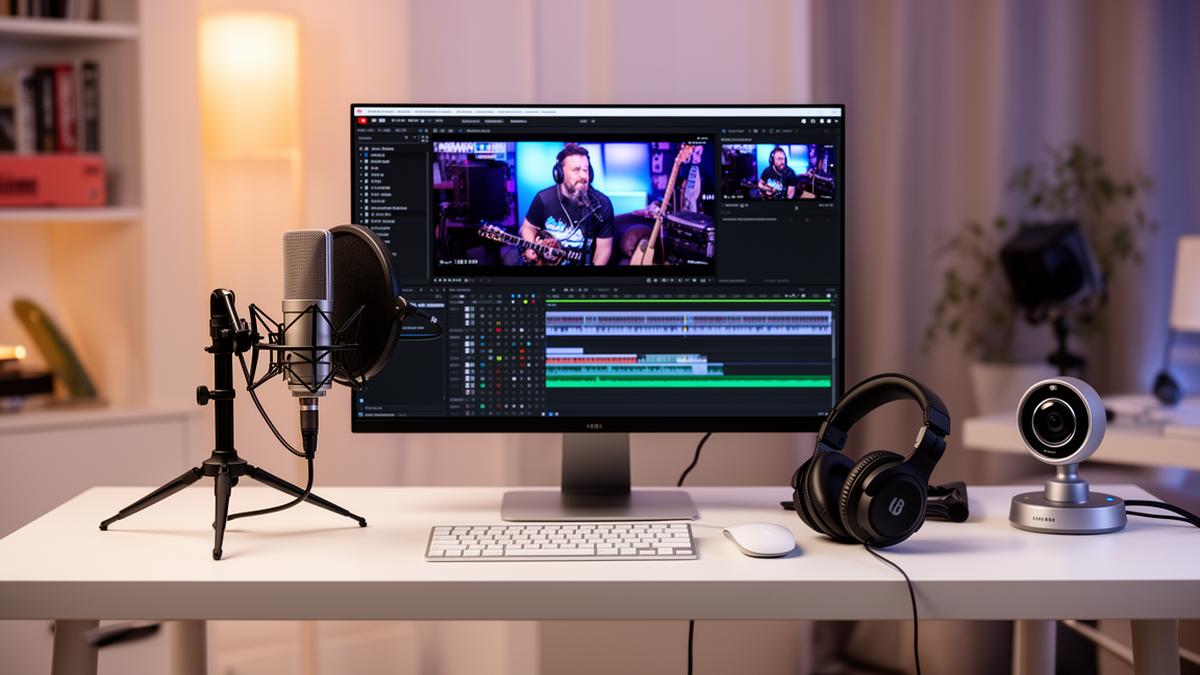
What Are Commentary YouTube Videos?
Commentary YouTube videos are a popular content format where creators share their opinions, analysis, reactions, or insights on various topics while typically displaying relevant footage, images, or screen recordings. Unlike traditional vlogs or tutorials, commentary videos focus primarily on the creator's perspective and voice, making them highly personal and engaging for audiences seeking authentic viewpoints.
These videos have exploded in popularity because they offer viewers something unique: a trusted voice breaking down complex topics, internet drama, current events, or entertainment content in an accessible and often entertaining way. Successful commentary creators build loyal audiences who return specifically for their unique takes and personality.
Types of Commentary Videos
Reaction and Commentary
Reaction commentary videos combine real-time reactions with thoughtful analysis. Creators watch content—whether it's viral videos, movie trailers, or social media posts—and share their genuine responses while adding context and opinions. This format works well because it lets viewers experience content through someone else's perspective.
Educational Commentary
Educational commentary videos dive deep into topics like science, history, or technology, breaking down complex subjects into digestible content. Creators use their expertise to explain concepts while adding their unique perspective, making learning entertaining and accessible.
Documentary-Style Commentary
These longer-form videos thoroughly investigate subjects like internet phenomena, controversial figures, or cultural trends. Creators spend significant time researching and present well-structured narratives that inform and engage viewers over extended watch times.
Gaming and Internet Culture Commentary
Gaming commentary covers everything from game reviews to esports drama, while internet culture commentary focuses on trends, memes, and online personalities. Both sub-genres attract passionate audiences who appreciate insider perspectives on their interests.
Commentary Video Production Workflow
Step-by-Step Guide to Making Commentary Videos
Step 1: Choose Your Topic
Select topics that genuinely interest you and resonate with your target audience. Trending subjects can boost initial views, but evergreen topics provide consistent long-term traffic. Check platforms like Twitter, Reddit, and YouTube trending to identify what's generating buzz, then consider how you can add unique value through your perspective.
Step 2: Research and Scripting
Thorough research separates good commentary from great commentary. Gather facts, multiple perspectives, and supporting evidence before forming your opinions. Create a structured script with an engaging hook, clear talking points, and a memorable conclusion. While some creators work from bullet points, beginners benefit from fuller scripts to maintain flow.
Step 3: Recording Voice and Screen
Record your voice-over in a quiet environment using proper microphone technique. Simultaneously capture screen recordings of relevant content, ensuring you're showing footage that supports your commentary. Many creators record audio separately from visuals, giving more flexibility in editing.
Step 4: Editing and Pacing
Edit ruthlessly to remove dead air, verbal fillers, and tangents that don't serve your message. Add visual variety through zoom effects, text overlays, and b-roll footage. Maintain engaging pacing by keeping segments concise and adding visual interest every few seconds to retain viewer attention.
Equipment You Need
Microphone
Audio quality makes or breaks commentary videos. USB microphones like the Blue Yeti or Audio-Technica AT2020 offer excellent quality for beginners. As you grow, consider XLR microphones with audio interfaces for professional-grade sound. Always use a pop filter to reduce plosive sounds.
Screen Recording Software
OBS Studio (free) remains the industry standard for screen recording and streaming. Alternatives include Camtasia for all-in-one recording and editing, or Streamlabs for user-friendly interfaces. Ensure you can capture both your screen and audio inputs simultaneously.
Video Editing Tools
DaVinci Resolve offers professional editing capabilities completely free, making it perfect for beginners. Adobe Premiere Pro and Final Cut Pro provide advanced features for creators ready to invest. Learn keyboard shortcuts early—they dramatically speed up your workflow.
Tips for Voice Delivery and Personality
Your voice is your brand in commentary videos. Speak with energy and confidence, varying your tone to emphasize key points. Practice reading your scripts aloud before recording to identify awkward phrasing and find natural rhythms. Record standing up to project more energy.
Develop your unique personality by embracing what makes you different. Whether it's humor, analytical depth, or relatable reactions, lean into your strengths. Authenticity resonates with audiences far more than trying to imitate popular creators. Share personal anecdotes and opinions that only you can provide.
Avoiding Copyright Issues
Use copyrighted content transformatively by adding substantial commentary, criticism, or educational value. Show only necessary portions and never use content as mere filler. Consider using royalty-free music and stock footage for supporting elements. When in doubt, create original visual content or use Creative Commons materials.
How to Grow a Commentary Channel
- Consistency: Upload on a regular schedule so subscribers know when to expect new content
- SEO Optimization: Research keywords and optimize titles, descriptions, and tags for discoverability
- Thumbnails: Create eye-catching thumbnails with bold text and expressive imagery
- Community Engagement: Respond to comments and build relationships with your audience
- Collaboration: Partner with similar-sized creators to cross-promote and reach new audiences
- Trend Awareness: Cover trending topics quickly while maintaining your unique perspective
Common Mistakes Beginners Make
- Poor Audio Quality: Investing in visuals while neglecting sound is the fastest way to lose viewers
- Rambling Without Structure: Unscripted tangents lose audience attention quickly
- Copying Other Creators: Audiences recognize imitation; find your authentic voice instead
- Ignoring Pacing: Long, unedited segments cause viewers to click away
- Inconsistent Upload Schedule: Irregular posting makes it harder to build audience habits
- Clickbait Without Delivery: Misleading titles damage trust and hurt long-term growth
Frequently Asked Questions
Commentary videos are content where creators share their opinions, analysis, or reactions to various topics like news, internet drama, gaming, or pop culture while typically showing footage or images related to the subject.
No, face cam is optional for commentary videos. Many successful commentary creators use only their voice with gameplay footage, images, or text overlays. However, face cam can help build stronger audience connection.
Yes, commentary channels can be monetized through YouTube Partner Program, sponsorships, and merchandise. Original commentary with transformative content typically qualifies for monetization when meeting YouTube's requirements.
Commentary videos typically perform best between 10-20 minutes. This length allows for in-depth analysis while maintaining viewer attention. Shorter 5-8 minute videos work for quick takes on trending topics.
You need screen recording software like OBS Studio (free) or Camtasia, video editing software like DaVinci Resolve (free) or Adobe Premiere Pro, and audio recording software like Audacity (free) for voice-overs.

Samay's Controversy
Navigate Samay Raina's viral moments in this chaos simulator!
Play Now
Carry Ki Gaaliyan
Unleash CarryMinati's iconic roasts in this rage-clicking madness!
Play Now
Slap Dhruv Rathee
The ultimate stress buster! Tap to slap in this addictive clicker.
Play Now
Arjun's Comments
Survive Bollywood's most savage comment section trolls!
Play Now
CID Laash Game
Find the dead body before Daya breaks the door! 🚪
Play Now
Japnaam Clicker
Click your way to enlightenment with Baba's blessings!
Play Now
Bijli Ka Bill
Help Ashish pay his electricity bill in this hilarious clicker!
Play Now
Doraemon All Gadgets
Explore all of Doraemon's magical gadgets!
Play Now
Yashu Di Balle Balle
Hit sixes and score big in this cricket clicker!
Play Now